

 Join the ArmorLink Discord
What ArmorLink gives you
A practical foundation for distributed ESP32 projects where modules need to communicate, expose functionality and remain configurable.
Modular ESP32 Architecture
Build projects from independent ESP32 modules such as helmets, arms, props, sensors, lighting controllers or audio modules.
Gateway-Based Routing
One Gateway coordinates the network, routes Commands, manages Pairing and optionally connects the ArmorLink Companion-App through BLE.
Actions & Commands
Expose module functionality as Actions and trigger them through Commands from other modules, the Gateway or, optionally, the Companion-App.
Persistent Configuration
Expose settings like servo positions, volume or brightness. Values persist automatically and update without rebooting.
On-Demand Telemetry
Expose live runtime data such as battery voltage, temperature or sensor values to the Gateway, Serial Monitor or optional Companion-App.
Remote Logging
Forward debug, info, warning and error logs through the ArmorLink network without plugging every module into USB.
Firmware-first. Companion-App optional.
Modules describe their Actions, Configuration and Telemetry in firmware. The ArmorLink network can route Commands directly between modules, while the optional Companion-App can discover that same structure and create a useful interface without custom mobile UI code for every project.
- Execute Actions from modules, Serial or the Companion-App
- Edit persistent module Configuration
- View on-demand Telemetry
- Inspect Remote Logs
- Start Pairing from the Companion-App or Serial
module.actions()
    .add("toggleFaceplate")
    .label("Toggle Faceplate")
    .command("Facemask", "toggle")
    .onExecute([]{
        toggleFaceplate();
    });
Optional ArmorLink Companion-App
ArmorLink modules describe their capabilities in firmware. When you use the Companion-App, it automatically presents Actions, Configuration, Telemetry, Pairing and Remote Logging.
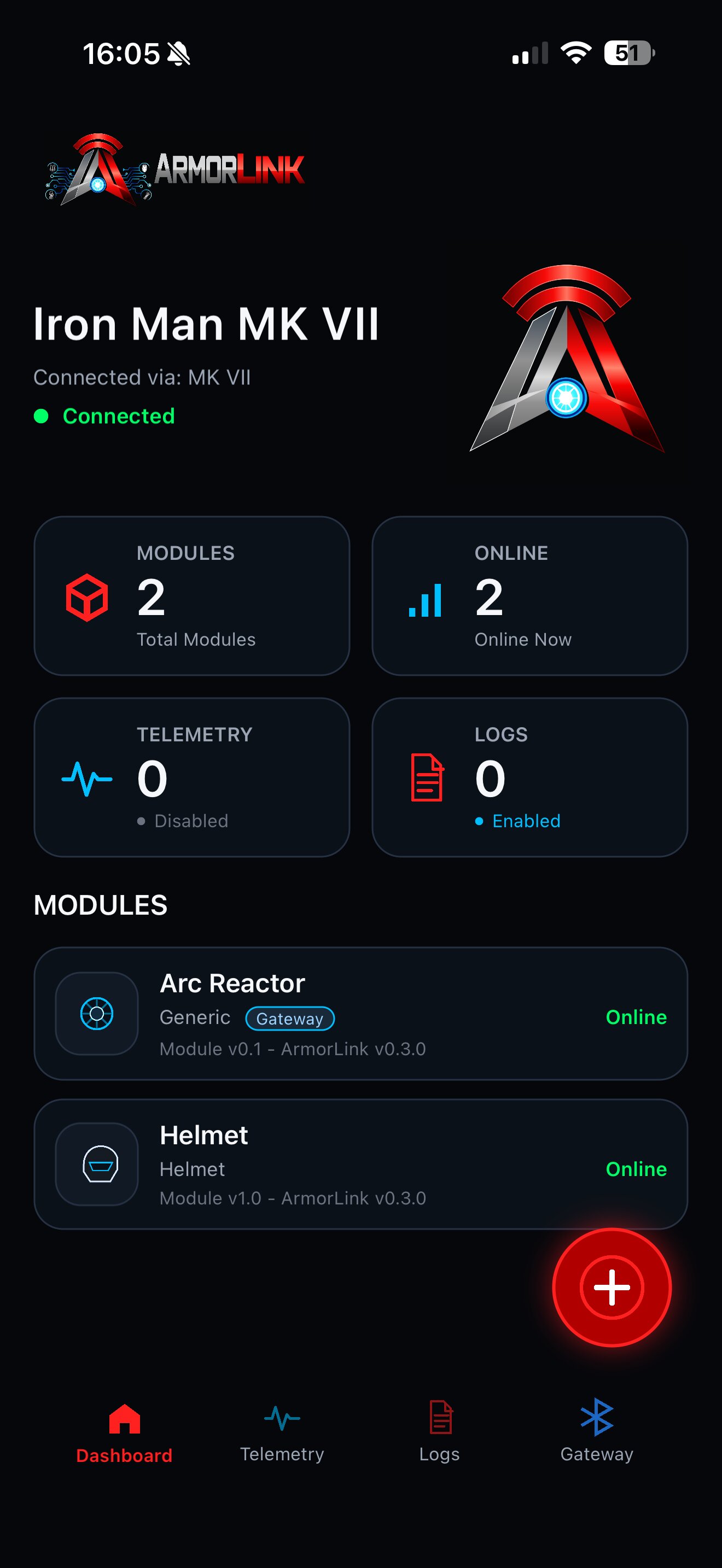
Dashboard
View connected modules, current status and available controls directly from your phone.
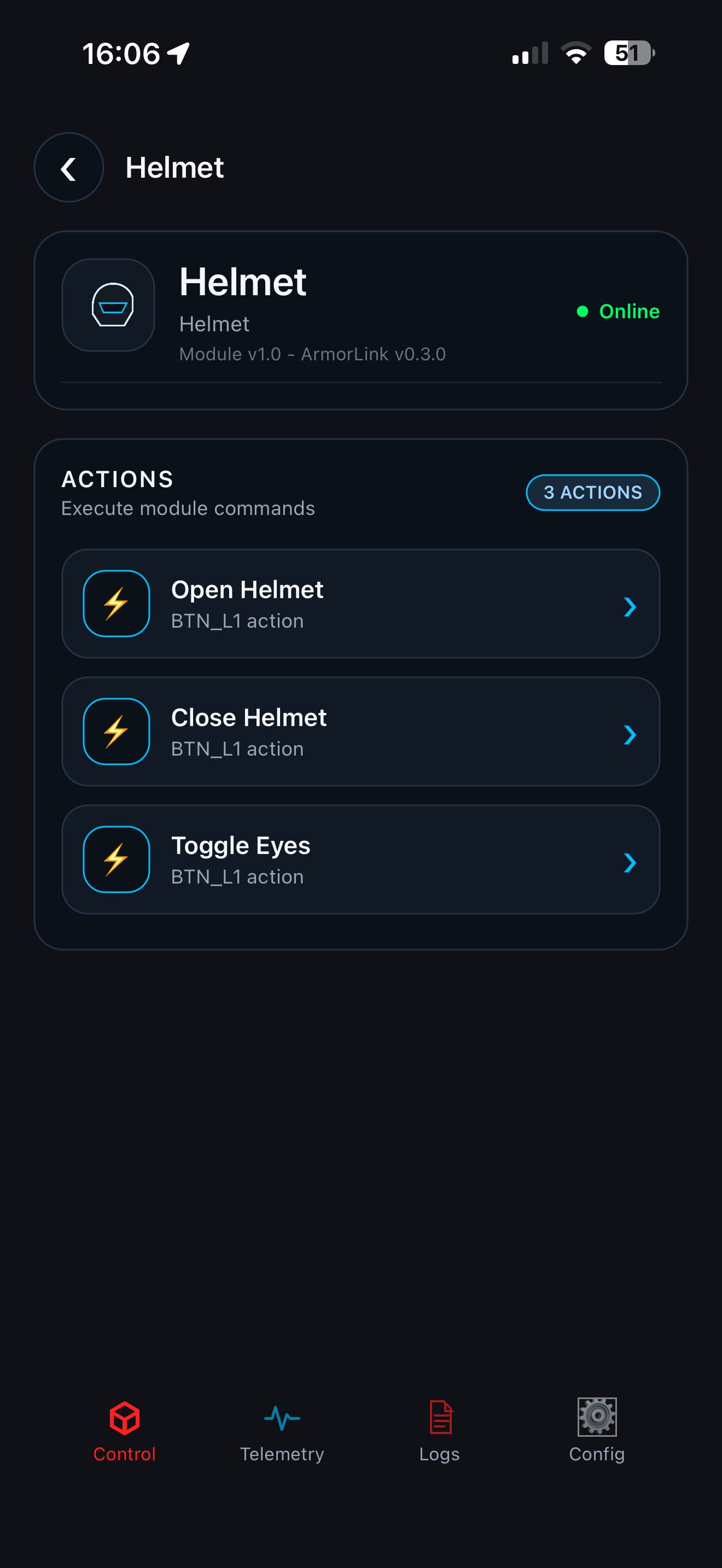
Module Detail
Inspect Actions, Configuration, Telemetry and module-specific controls.
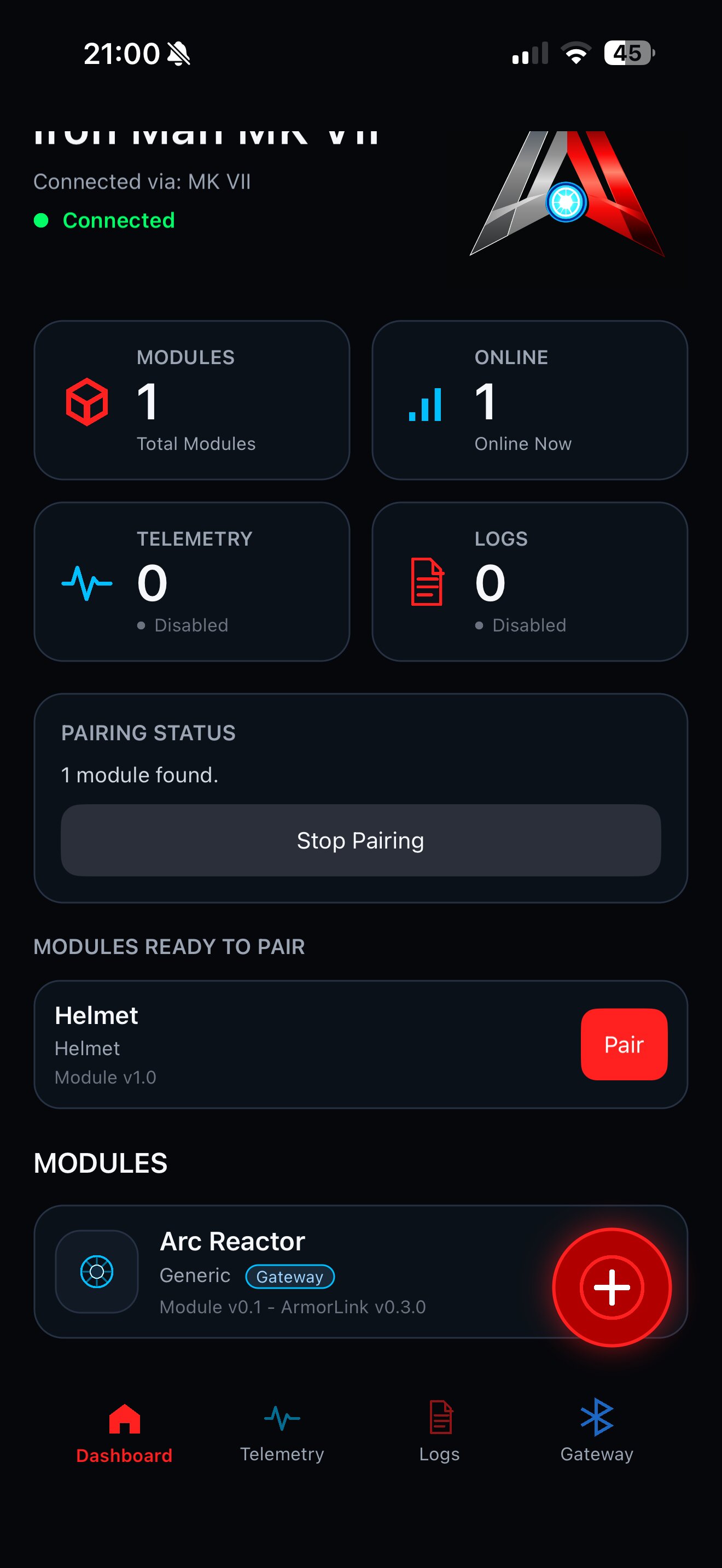
Pairing
Discover and pair new modules through the Gateway.
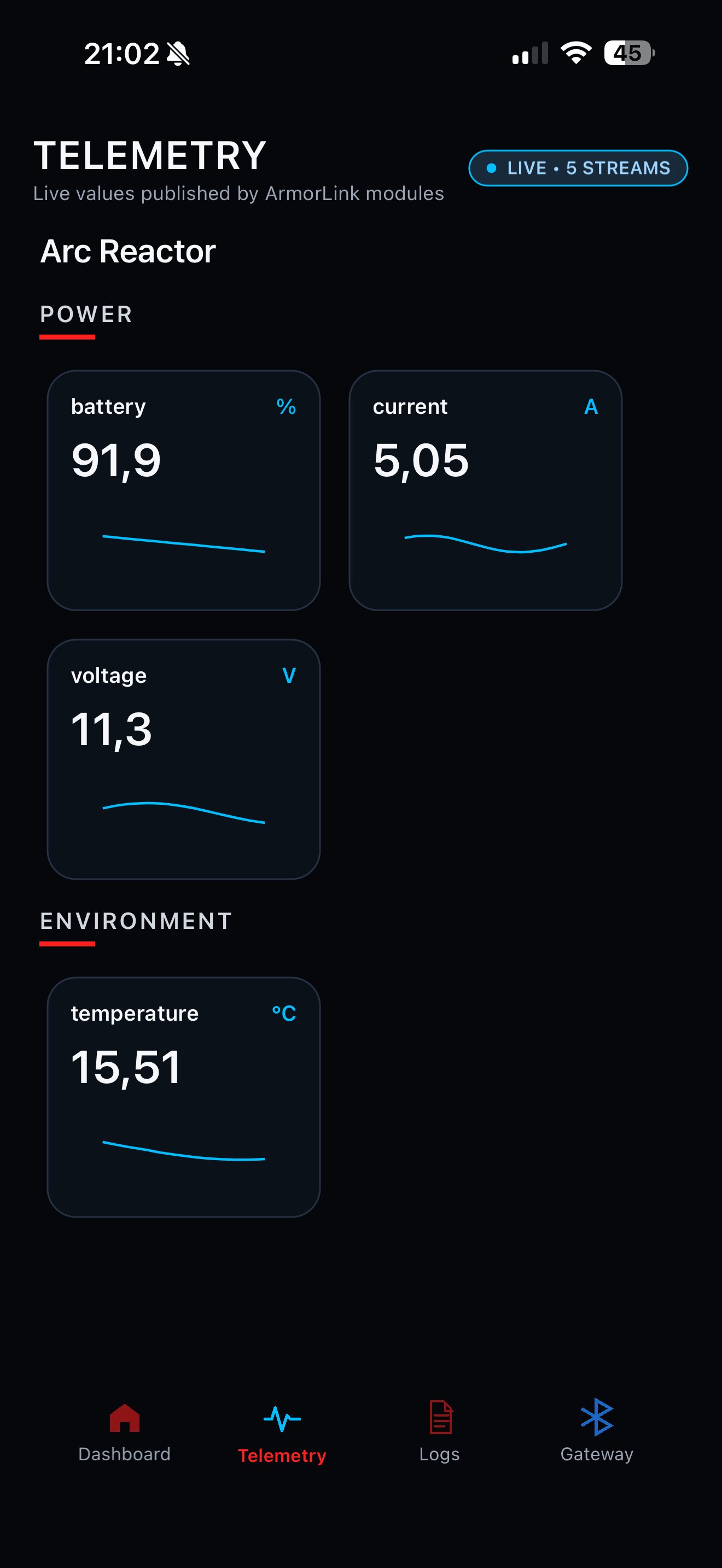
Telemetry & Logging
Access on-demand telemetry and remote logs from connected ArmorLink modules.
Minimal module example
ArmorLink does not replace your application logic. It gives your firmware a clean communication and management layer.
#include <ArmorLink.h>

ArmorLinkModule module(
    "Helmet",
    ArmorLinkModuleType::Helmet
);

void setup()
{
    Serial.begin(115200);

    module.actions()
        .add("toggleFaceplate")
        .label("Toggle Faceplate")
        .command("Facemask", "toggle")
        .onExecute([]{
            toggleFaceplate();
        });

    ArmorLinkOptions options;
    options.enableEspNow = true;

    ArmorLink.begin(module, options);
}

void loop()
{
    ArmorLink.loop();
}
Single-device projects
Run one ESP32 as a Gateway-enabled module and control it directly from the ArmorLink Companion-App. ESP-NOW is not required.
Single Module Gateway >Multi-module systems
Use one Gateway and multiple paired modules. Send Commands between modules or broadcast Commands to all matching modules.
Gateway Button Panel >Diagnostics in the field
Use on-demand Telemetry, Remote Logging and module Presence detection to debug assembled systems without USB access.
Remote Logging >Ready to build with ArmorLink?
Start with installation, then create your first Gateway and module.